
Pro Causa

Case management for real lawyers.
Pro Causa is a desktop-first case management system built for small law firms that need to stay organized without big-firm overhead. It keeps your cases, contacts, documents, deadlines, and time entries in one place — connected, searchable, and always up to date. Pro Causa helps you run your practice with clarity, not chaos.
Built for small firms
- Desktop-first by design — built for focused legal work, not mobile check-ins
- Organized around cases, not features — everything connects to the matter
- Tracks what actually falls through the cracks between court dates
- Opinionated, but practical — structure without unnecessary complexity
See your practice at a glance
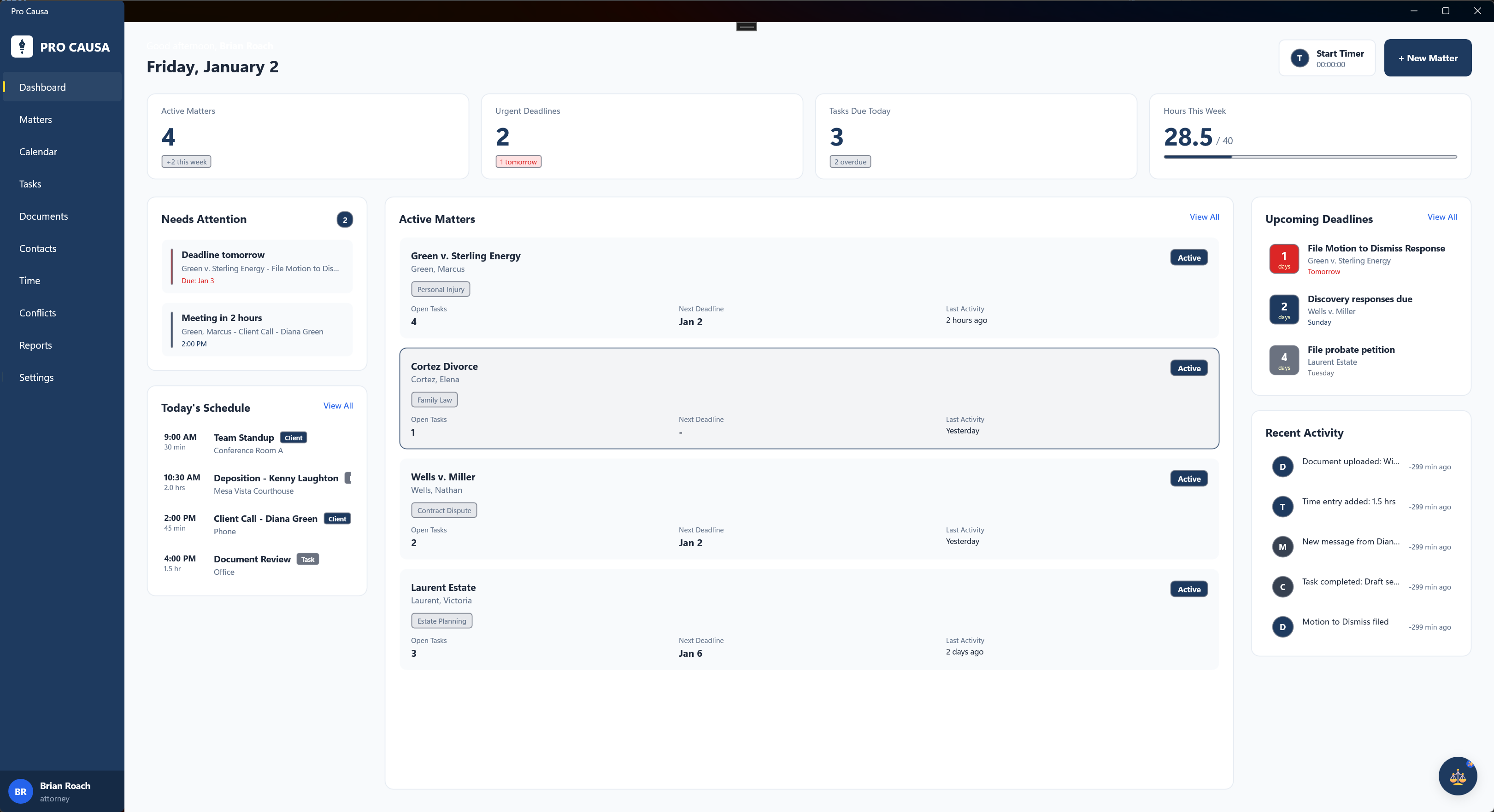
Pro Causa opens with a clear view of what matters — active cases, pending items, and what needs your attention today.
Quick stats show your caseload by status. Active matters you're working. Pending cases awaiting decisions. Closed files for reference. No digging through menus to understand where things stand.
Filter by practice area, assigned attorney, or status. Search across case numbers, client names, titles, and opposing parties. Find what you need in seconds, not minutes.
Every case, organized and accessible
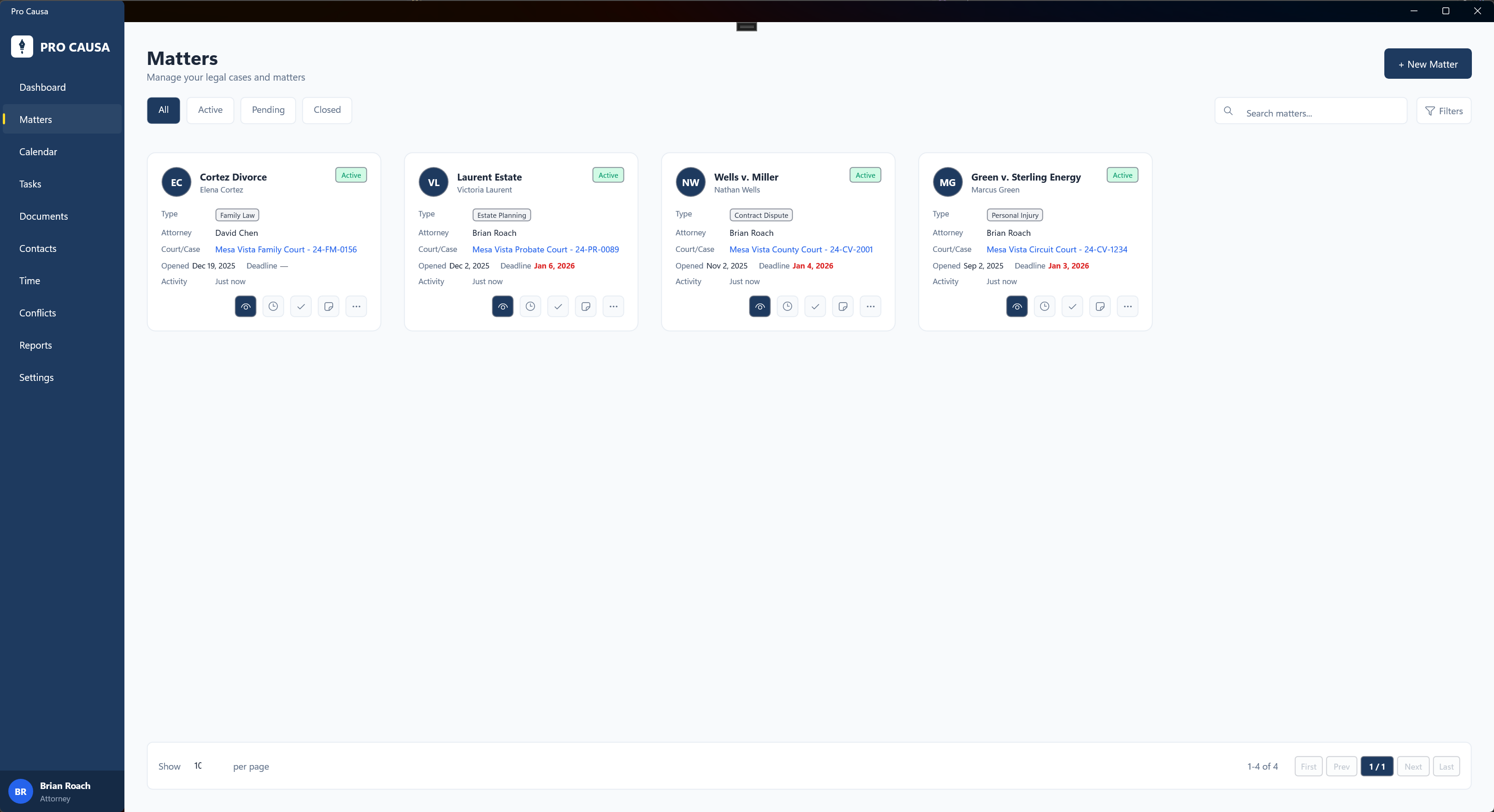
Cases are at the heart of Pro Causa. Every client, document, task, and time entry connects to a matter.
Each case card shows what you need: case number, title, client, status, practice area, and open date. Click to dive into full details. Use tabs to filter by Active, Pending, or Closed.
Consistent case numbers, clear statuses, and proper categorization make filtering and reporting actually useful. Link related cases for appeals and connected matters.
Everything about a case in one place
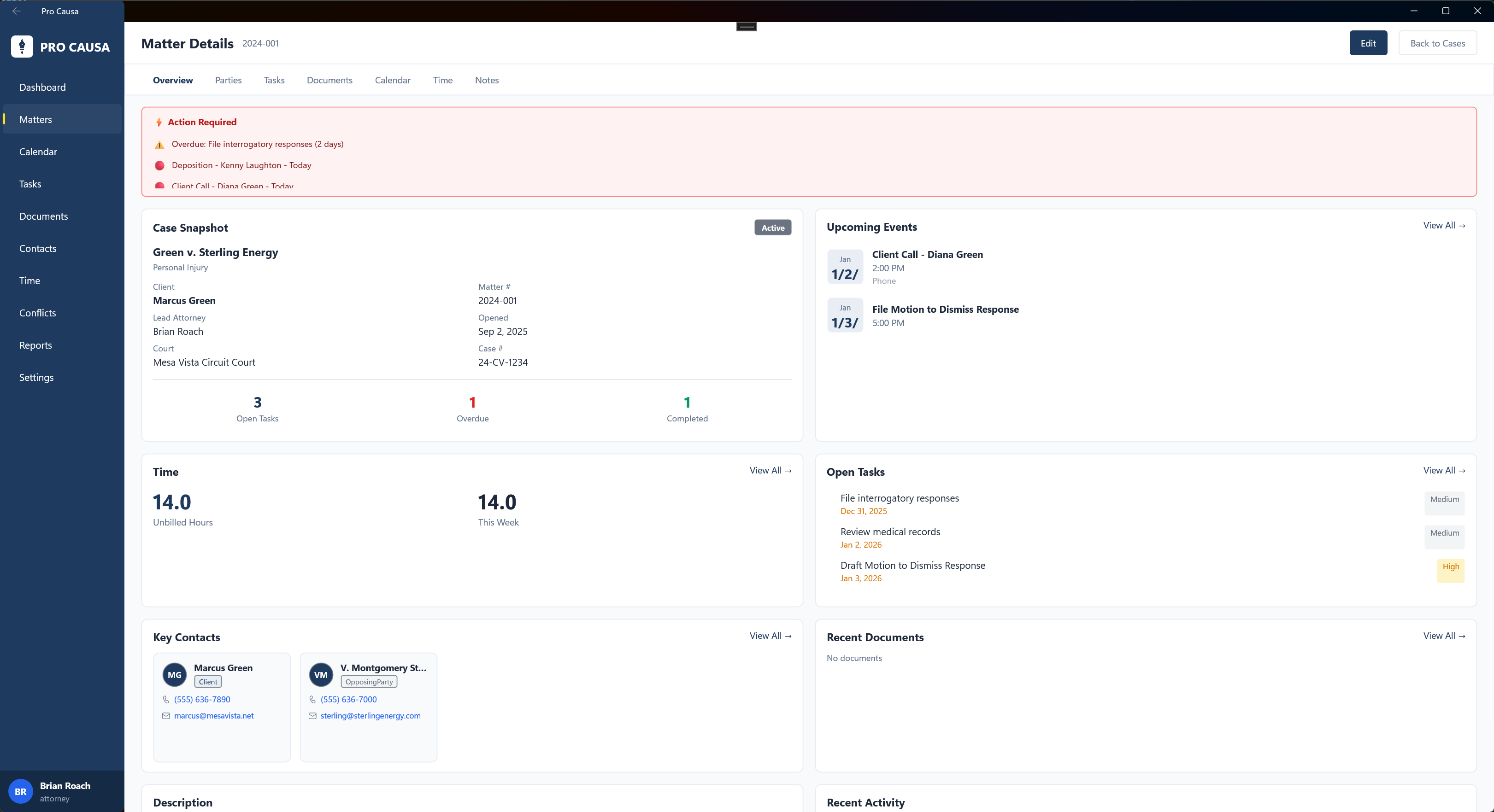
The Case Details screen is your complete hub for managing a matter. Seven tabs organize all case information: Overview, Parties, Tasks, Documents, Calendar, Time, and Notes.
The Overview tab is your dashboard for the case. Alerts show overdue tasks and upcoming deadlines. Key contacts display with role badges and contact info. Open tasks, recent documents, upcoming events, and unbilled time — all visible without clicking through screens.
Task statistics show what's open, overdue, and completed. Time cards show unbilled hours and this week's activity. Start with Overview to get the snapshot, then dive into details when you need them.
Never miss a court date or filing deadline
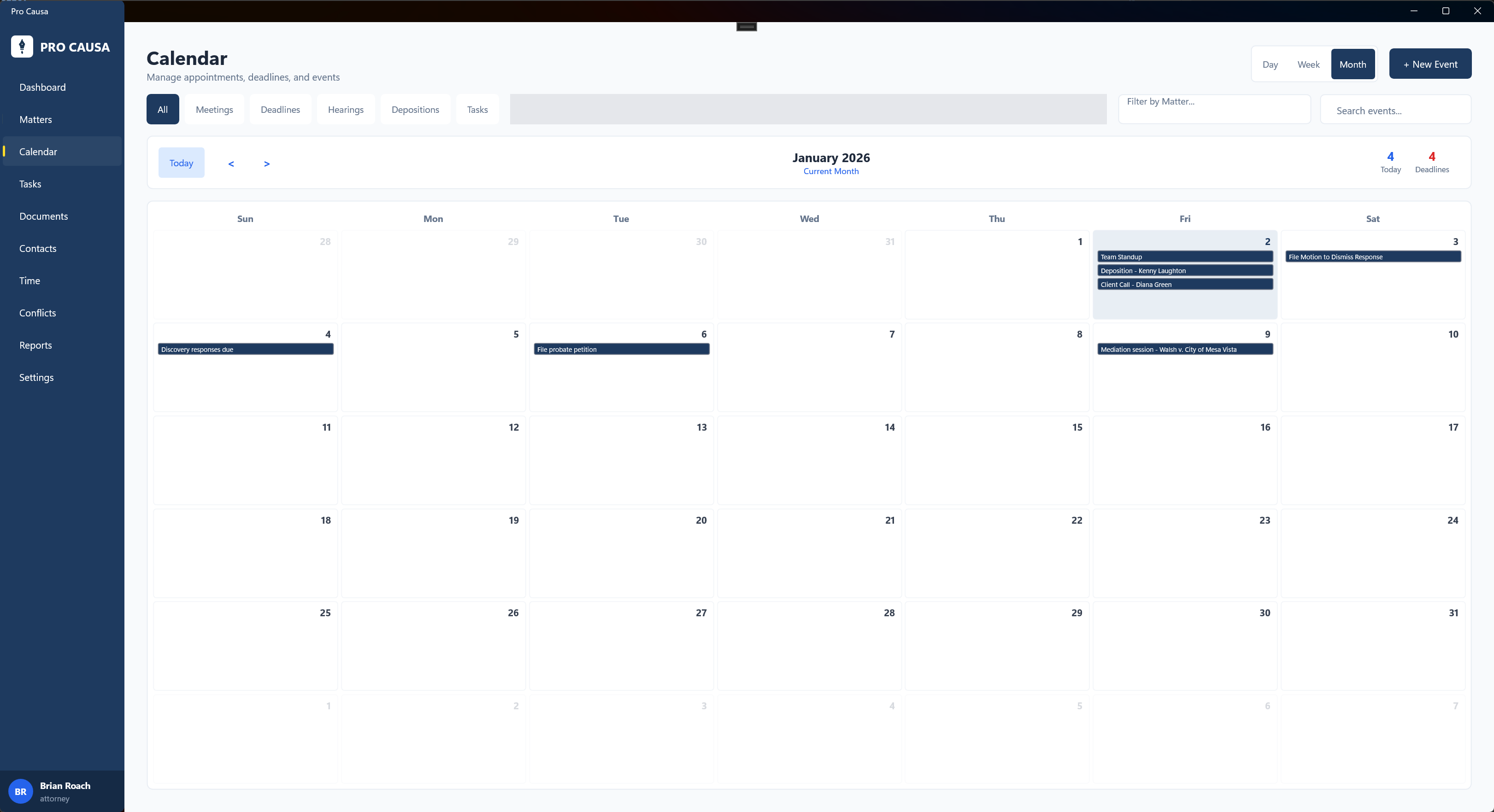
Pro Causa tracks every event, deadline, and appointment tied to your cases.
Switch between list, day, week, and month views. See meetings, hearings, deadlines, depositions, and task reminders with distinct icons so you know what's coming at a glance.
Events connect to cases. Set reminders. Add locations. Filter by event type or case. The calendar works the way lawyers think about their schedule — deadlines first, everything else organized around them.
Capture billable time without the hassle
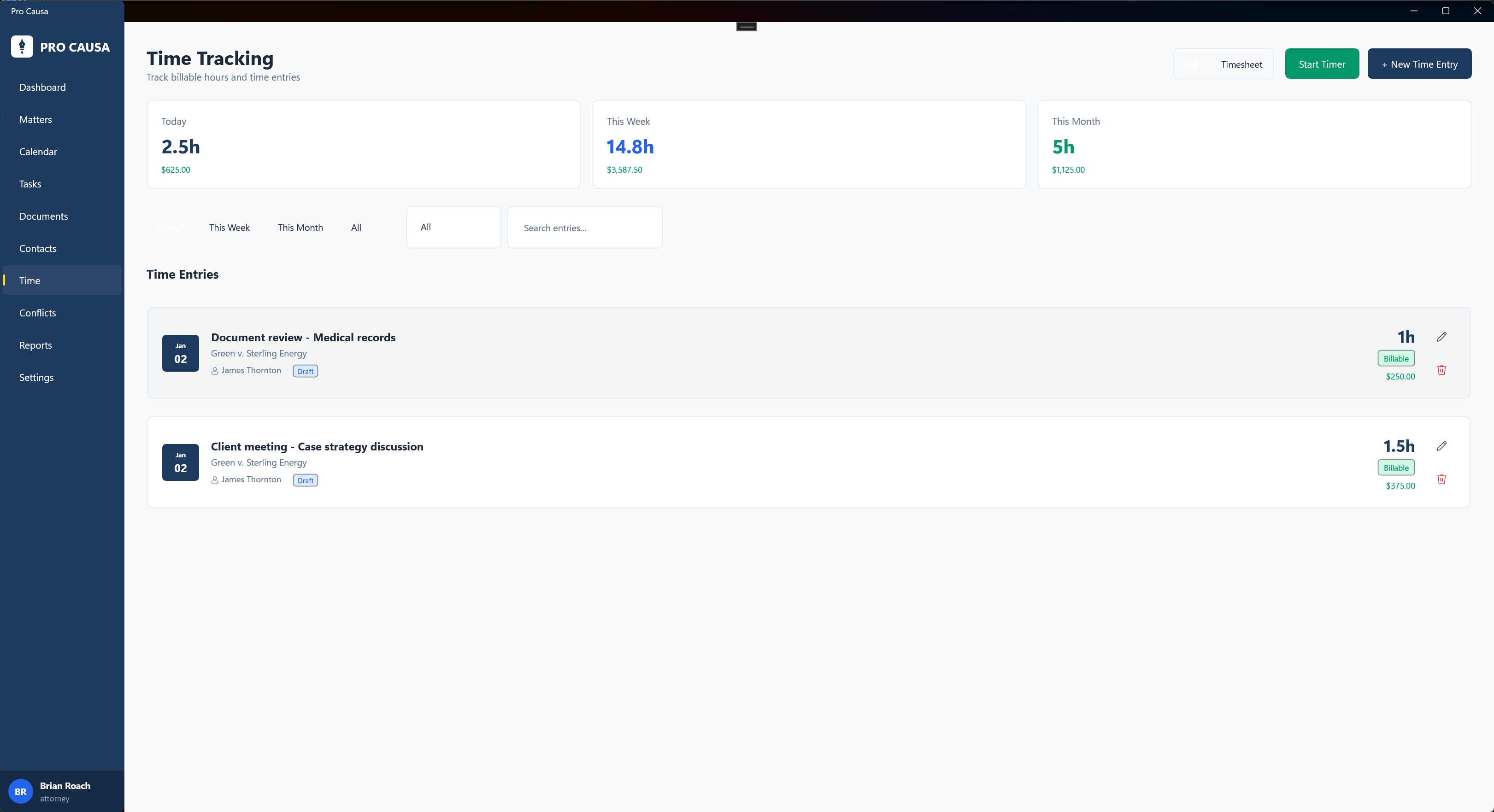
Log time entries directly within each case. See date, hours, description, who logged it, and billing status in one view.
Mark entries billable or non-billable. Track total hours on a case, unbilled time, and this week's activity. Use the timer or enter hours manually — whatever fits your workflow.
Time stays connected to the case, visible in the Overview dashboard, and ready for billing. No separate system. No reconciliation headaches.
Check conflicts before you take the case
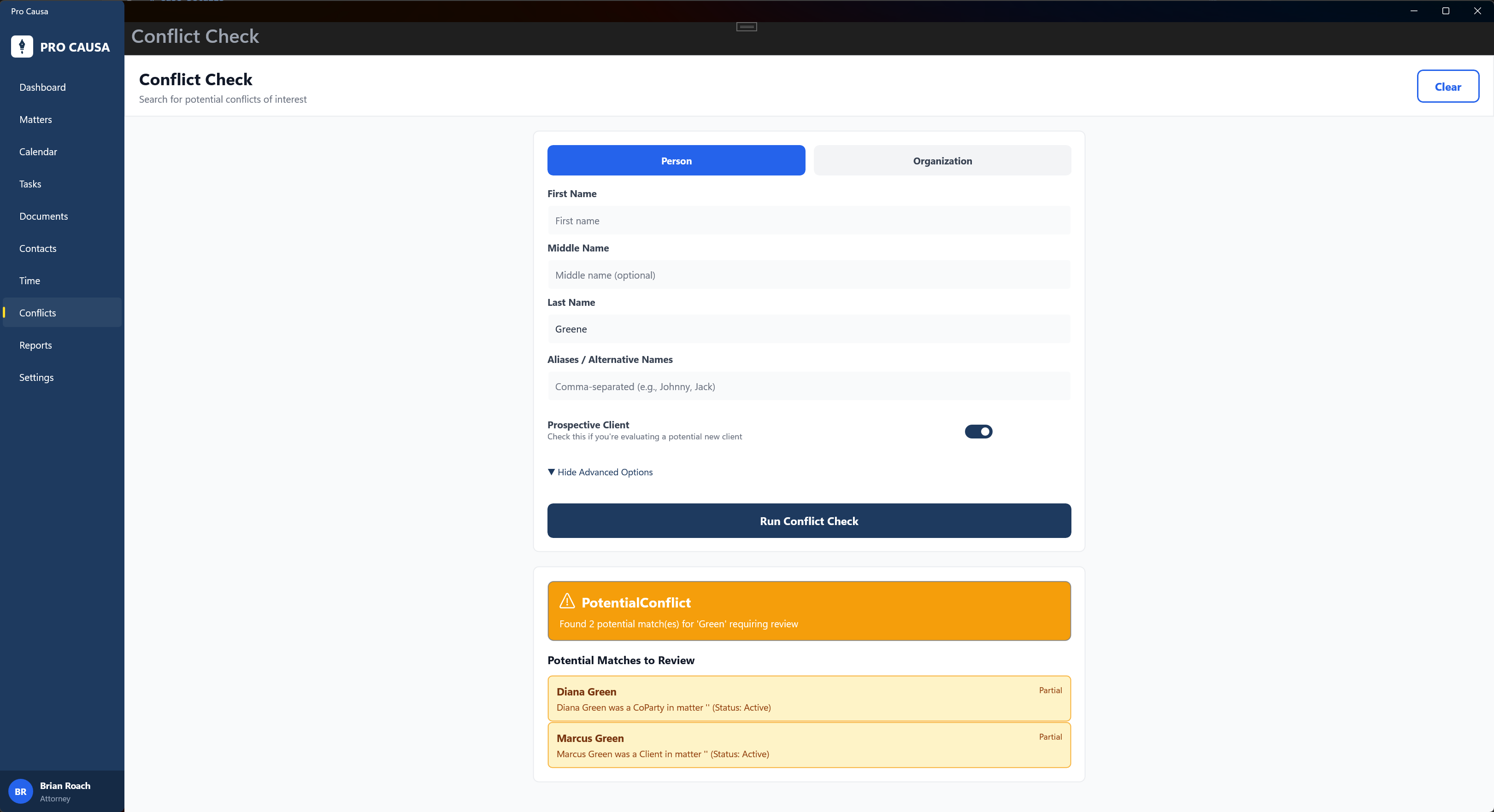
Run conflict checks against your entire contact database during matter intake.
Pro Causa tracks every party on every case — clients, opposing parties, opposing counsel, experts, witnesses, and more. When you add a new matter, potential conflicts surface immediately.
Color-coded role badges make it clear who's who. Clients in navy, opposing parties in red, experts in green, witnesses in amber. Conflicts don't hide in spreadsheets — they're visible where you need them.
Everything else a small firm needs
📁 Document Management
Upload, categorize, and organize files by case. Pleadings, discovery, correspondence — everything attached to the matter where it belongs.
✅ Task Management
Create tasks with due dates, priorities, and assignments. Filter by open, completed, or overdue. See task statistics in the case overview.
👥 Contact Management
Maintain a firm-wide contact database. Link contacts to cases with specific roles. See all related cases for any contact.
📝 Case Notes
Keep internal notes, client communication summaries, research findings, and memos organized by case. Timestamped and attributed.
Built for lawyers who practice law
Pro Causa is not enterprise software squeezed into a small firm. It is not a generic project manager with legal templates bolted on.
It is built around how small firms actually work. Cases at the center. Deadlines that matter. Time that needs to be tracked. Documents that need to be found. Contacts that need to be checked for conflicts.
Desktop-first because legal work requires focus. Organized around matters because that is how lawyers think. Simple because complexity is the enemy of adoption.
If you run a small firm and want case management that works without a training manual, Pro Causa was built for you.
Software for lawyers who want to practice law, not manage software.